|
50 really useful Android tips and tricks
Tips for the HTC Desire and other Android devices
Android is a great little mobile operating system for the modern smartphone, but it can feel a little bewildering and complex to the newcomer.
Google's quest to make everyone feel at home by providing layer upon layer of option screens and hundreds of tweakable settings can leave people a little lost, plus there's your widgets to worry about, the Home screen layout and much more hidden beneath Google's green bonnet.
So here, to make things a little easier for Android newcomers and those seeking a few more power tips, we present 50 essential Android facts and techniques.
These tips are mostly for the 2.1 version of Android, which is by far the most common form of the OS out there today - but much of the advice will also work on older and newer versions and those boutique varieties skinned by some hardware makers.
1. Activate the Android Power Strip
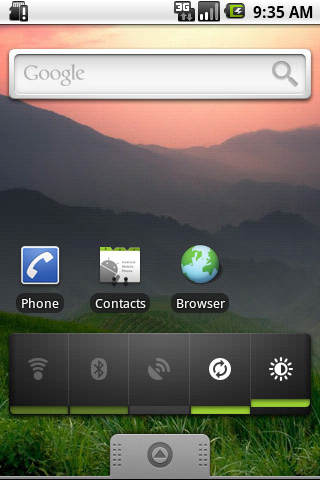
The single most important feature in Android 2.1 is its built-in power strip widget. Here, you're able to quickly disconnect all the phone's battery-destroying features, like Wi-Fi, Bluetooth and the Great Batter Killer that is GPS. Long-press on the screen and install it via the widgets category.
2. Android call screening
If you're a paranoid call-screener, Android is there for you. Open up the Contacts listing of the person you're currently avoiding, then select Menu > Options. From here you're able to ping all incoming calls from this person directly to voicemail. Give people the brush off with Android.
3. Set up custom caller ringtones
Alternatively, if you like talking to people, the same screen lets you allocate a specific custom ringtone to each caller stored in your Contacts directory.
4. Add your alarm clock to your task killer
A classic mistake, this. We're constantly being told of the (debatable) importance of using a task manager to maximise Android battery life, and if you want to go down that route you're welcome. However, when killing all your tasks to save battery life, remember that your alarm clock is a task in itself - kill that and you'll wake up in a panic at 10.15am tomorrow morning.
5. Organise things into folders
While Steve Jobs may have recently made quite a big deal about letting iOS users organise things into folders, Android's been doing that for ages. Fancy a quick Home screen shortcut to your starred favourite contacts? Long-press the Home screen and make it so.
[1] [2] [3] [4] [5] [6] [7] [8] 下一页 【已有很多网友发表了看法,点击参与讨论】【对英语不懂,点击提问】【英语论坛】【返回首页】
|