|
11. Easy zoom
A teeny little feature, this, but one that's super-useful if you're using all five of your Home screens - or a custom user interface that offers even more. Tapping the dots beside the dock at the bottom of the screen brings up a mini thumbnail list of all Home screens, allowing you to get from Screen 1 to Screen 5 without wearing a groove into your screen surface.
12. Add a Navigation shortcut to Android
Android 2.1 lets users set up local short-cuts to the Maps Navigation satnav app. As long as you have one of the latest Google Maps updates, you're able to select one of your Navigation routes and attach it directly to a shortcut on the Home screen - creating a one-press launcher for your favourite trips.
13. Set your double-tap zoom level
On phones that don't support multi-touch zooming, you can take more control of your web browsing zoom via the browser's setting page. Change your view to "Close" if you want the page to fly right into extreme close up when you double-tap the screen, or leave it to "Far" if you're happy to have text only cropping in a little closer when you double-tap.
14. Change Android browser font size
From the same menu you're also able to select your browser font size. Your personal ideal settings will vary depending on your screen size, resolution and eye sight, but a few minutes getting it set up so pages are instantly readable will save many cumulative hours of resizing over the coming years.
15. Search web pages
Menu > More > Find on Page lets you search for specific text terms on web pages, if you can't be bothered reading the thing properly as the author intended.
16. Practise your robot voice
Android 2.1 features voice-input for every text field. Which is nice, although the delay for "processing" - and often rather left field results - mean it's usually quicker to just bite the bullet and type things. Remember to say "comma" to tell it to insert a comma. Full stop.
17. Add words to the Android dictionary
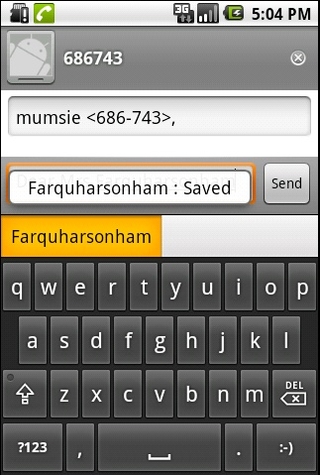
This is such a useful feature it ought to be screamed about via a sticker on the phone when you take it out of the box. If you've been labouring through life with a difficult-to-spell surname, type it once into your Android phone's text field - then long-press on it in the suggested word field. This adds it to the dictionary, so you'll never have to type more than the first couple of characters of your stupid name again.
18. Sign up for a Picasa account
Google's online image-sharing tool may have failed to capture the public's imagination in the same way as Flickr, but there's one good reason to register yourself one - Android 2.1's 3D gallery can auto-sync your photos with your Picasa account. Photo sharing works both ways, so you'll have to deactivate sync if you don't want your entire web gallery popping up on your phone.
19. Download web images
If you've seen one of those funny photographs on the internet, long-pressing on it lets you download it to your phone - and it'll pop up in your Gallery for easy sharing.
20. Manage your Android call log
It's very easy to delete individual items from Android's log of made and received calls - simply long-press on an item and delete it. Then sleep easier.
上一页 [1] [2] [3] [4] [5] [6] [7] [8] 下一页 【已有很多网友发表了看法,点击参与讨论】【对英语不懂,点击提问】【英语论坛】【返回首页】
|