|
6. Rename Android folders
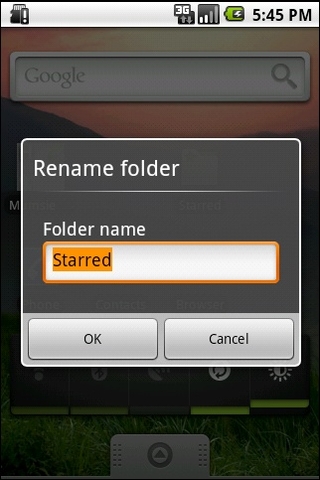
And, once you've done that, to customise things to perfection it's possible to rename folders. Simply open the folder, then long-press on its name in the top bar to bring up the Top Secret renaming field.
7. Check the date
Possibly one of the tiniest undocumented features is the date-checking facility. Press the Notification bar at the top left of the screen. It tells you what the date is. Go on, try it. It will.
8. Mount your SD card
Also accessed via the Notifications field is the "Mount" option. Many an Android newcomer has failed at this hurdle, as mounting your phone's SD card is an awkward step that needs to be taken before it'll appear as an external drive for data copying. Plug it in, mount it, then copy.
9. Set up your keyboard launch shortcuts
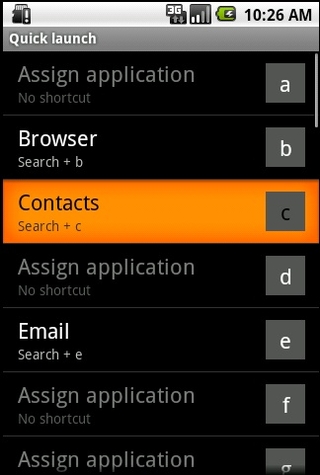
One of the reasons many people still love their QWERTY keyboards is Google's inclusion of the reliable old keyboard shortcut system in Android. The phone has a completely customisable collection of app launcher shortcuts, which are found under Settings > Applications > Quick Launch.
10. Download more Android live wallpapers
One thing that makes Android 2.1 a little more swish and exciting than the rather dull earlier versions is its support for Live Wallpapers - the animating image format that brings your Home screen to life. There's a negligible battery life hit for doing so, but in return you get a phone that looks cool. Which is what life's all about, right? Search the Android Market for Live Wallpaper - there are loads.
上一页 [1] [2] [3] [4] [5] [6] [7] [8] 下一页 【已有很多网友发表了看法,点击参与讨论】【对英语不懂,点击提问】【英语论坛】【返回首页】
|